
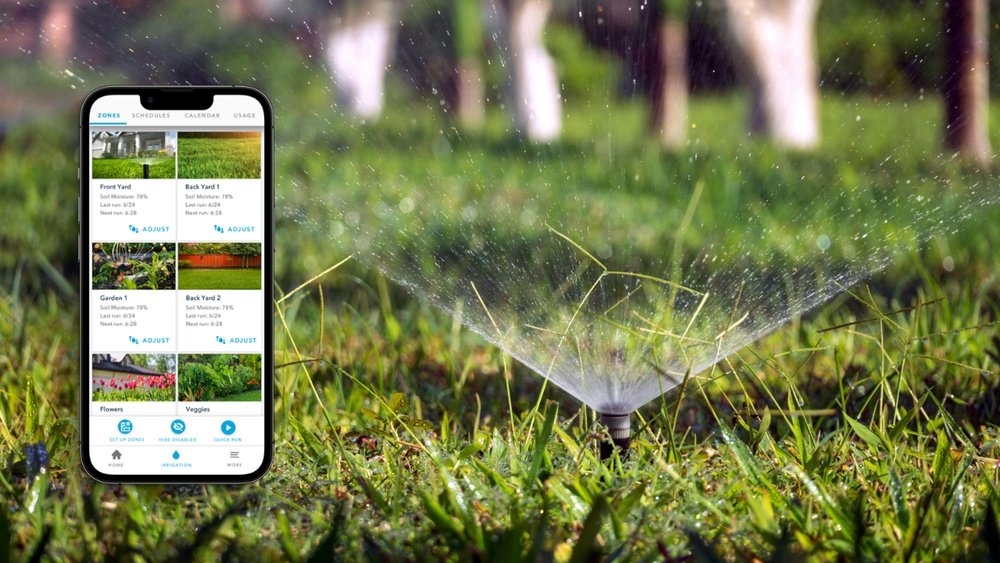
Imagine having full control over your garden’s watering schedule right from your phone. No more guessing if your plants got enough water or rushing home to adjust sprinklers before a sudden rainstorm.
With a smart irrigation system, you can easily manage when and how much your lawn or garden gets watered, all with a few taps. This means saving water, time, and money while keeping your greenery healthy and thriving. Ready to discover how simple it is to control your smart irrigation system from your phone?
Let’s dive in and make your watering routine smarter and stress-free!

Credit: rachio.com
Smart Irrigation Basics
Using the mobile app is the easiest way to control your smart irrigation system. It lets you manage watering from anywhere. The app connects your phone directly to the system. This connection gives you full control over your garden’s water needs.
The app is designed for simple use. Even beginners find it easy to operate. You can check the system status, change schedules, and adjust settings all from your phone. This makes watering your garden more flexible and efficient.
Navigating The Interface
The app’s interface is clean and simple. Main controls are clearly labeled. Tabs or menus help you find features fast. You can see your zones, current watering status, and weather updates on the main screen.
Icons and buttons are easy to understand. The app guides you with small tips. You can zoom in on your garden layout to view each zone. This helps you identify which areas need watering or adjustments.
Creating Watering Schedules
Scheduling is straightforward with the app. You set times and days for watering each zone. The app lets you choose duration and frequency. You can create different schedules for different plants.
Adjust schedules quickly if weather changes. The app can suggest watering times based on local weather data. This saves water and keeps plants healthy. You can also pause or skip watering days with one tap.
Adjusting Settings Remotely
Remote control means you don’t need to be home. The app connects through Wi-Fi or mobile data. You can turn watering on or off anytime. Change watering duration or zones from your phone.
If rain is expected, you can delay watering with a simple command. The app sends alerts if something needs your attention. This helps you avoid overwatering or dry patches in your garden.
Setting Up Your System
Advanced controls in smart irrigation systems offer precise, efficient watering. These controls let you manage your garden with ease and accuracy. Use your phone to adjust settings anytime, anywhere. This helps save water and keeps plants healthy.
Weather-based Watering
Smart irrigation systems use local weather data to adjust watering schedules. They skip watering on rainy days or increase it during dry spells. This prevents overwatering and reduces water waste. Your phone app updates schedules automatically based on weather forecasts. You get a greener lawn with less effort.
Zone Customization
Control different areas of your garden separately. Assign specific watering times and amounts for each zone. This suits plants with different water needs. Use your phone to create and change zones easily. Custom zones make watering more efficient and save water.
Monitoring Water Usage
Track how much water your irrigation system uses daily. Your phone app shows detailed reports and alerts for unusual usage. This helps you spot leaks or system problems early. Monitoring water use lowers bills and conserves water. Stay informed and keep your system running smoothly.
Using The Mobile App
Controlling a smart irrigation system from your phone offers great convenience. Sometimes, small issues can interrupt this smooth control. Troubleshooting these problems quickly helps keep your irrigation system working efficiently. Below are some common issues and easy tips to fix them.
Connectivity Issues
Check if your phone is connected to the internet. Make sure your Wi-Fi is working properly. Restart your router to refresh the connection. Move closer to the router to get a stronger signal. Ensure the irrigation controller is powered on and within Wi-Fi range. If the problem continues, reset the controller and reconnect it to your network.
App Update Problems
Keep your irrigation app updated to the latest version. Outdated apps may cause bugs or crashes. Visit your app store to check for updates. Clear the app cache if it runs slowly or freezes. Reinstall the app if problems persist. Always use the official app provided by the irrigation system manufacturer.
System Sync Errors
Sync errors occur when your phone and the irrigation system do not communicate properly. Restart both your phone and the irrigation controller. Ensure the system’s time and date settings are correct. Check that your app account is properly logged in. If syncing still fails, remove the device from the app and add it again.
Advanced Controls
Smart irrigation systems help save water and boost garden health. Controlling them from your phone makes watering simple and precise.
These systems use less water by watering only when needed. This reduces waste and lowers water bills. Efficient watering keeps plants healthy and soil moist without overwatering.
Optimizing Water Use
Smart irrigation adjusts water flow based on soil and plant needs. Your phone app shows real-time data to help you fine-tune settings. This prevents watering dry soil or flooding plants. Small changes add up to big water savings over time.
Scheduling For Climate
Set watering times to fit local weather and seasons. The system uses weather forecasts to skip watering on rainy days. You can change schedules anytime from your phone. This keeps your garden watered correctly year-round without wasting water.
Using Alerts And Notifications
Your phone can receive alerts about system issues or weather changes. Notifications warn you about leaks, broken sprinklers, or unusual usage. Quick responses stop water loss and protect your plants. Staying informed helps you manage water use better.
Managing Multiple Systems
Smart irrigation apps make watering your garden simple and efficient. These apps connect your irrigation system to your phone. You can set schedules, check weather updates, and adjust watering from anywhere. Choosing the right app helps save water and keeps plants healthy. Below are some popular smart irrigation apps and their key features.
Hydrawise Features
Hydrawise offers easy remote control of your irrigation system. Use the app on your phone or web browser. It adjusts watering based on weather data to save water. The app sends alerts about rain or system issues. Hydrawise supports multiple zones for different plant needs. Users can track water usage and get detailed reports. Basic features are free, with advanced options available.
Rain Bird App Highlights
The Rain Bird app controls compatible irrigation controllers remotely. It has a simple interface for quick schedule changes. The app uses local weather to adjust watering times. Users can customize watering for various zones and plants. It offers notifications for system status and errors. Rain Bird app works on both iOS and Android devices. It helps reduce water waste and saves money.
Other Notable Apps
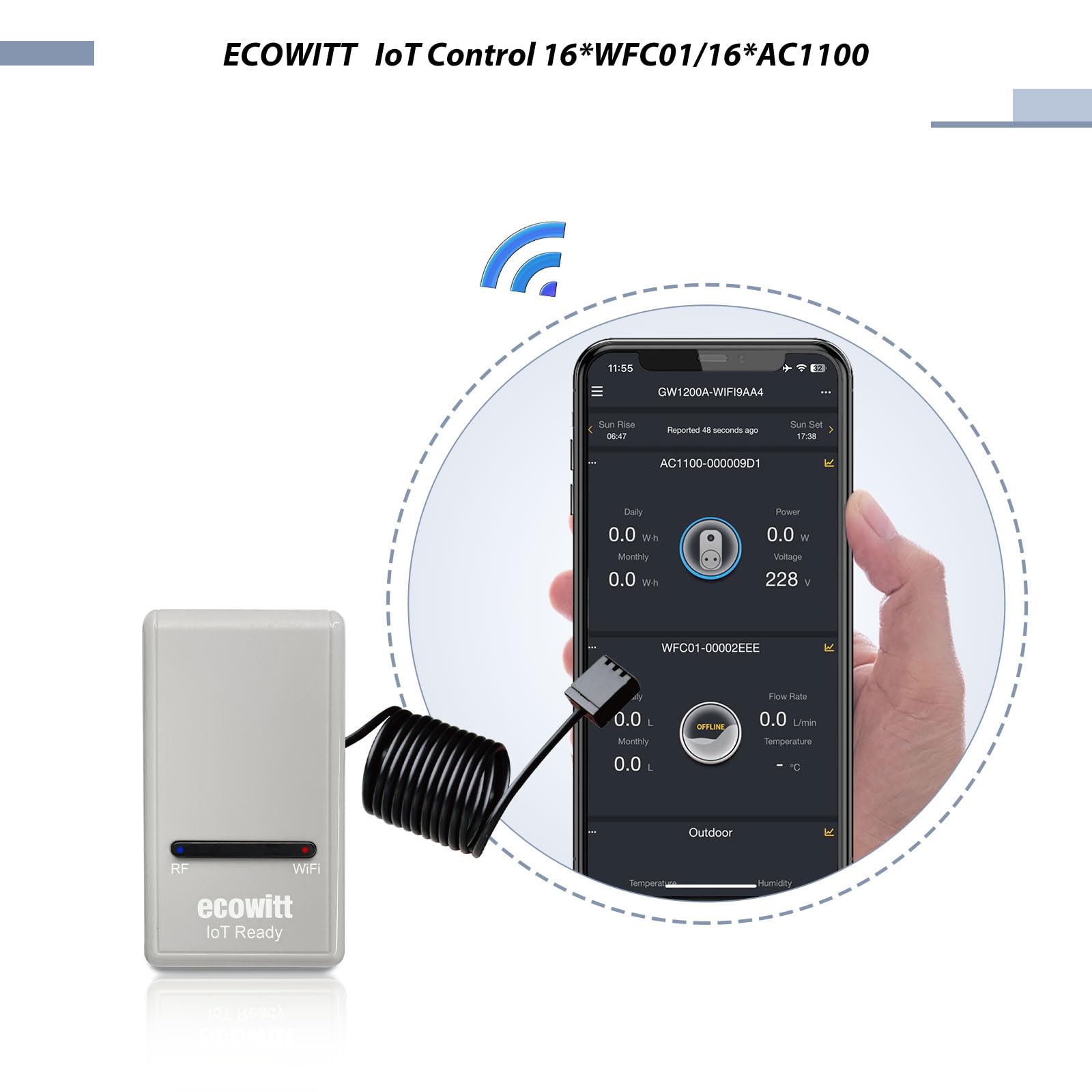
Several other apps work well with smart irrigation systems. Rachio app offers flexible scheduling and weather-based adjustments. Blossom app combines smart watering with garden care tips. Orbit B-hyve app lets you control sprinklers and monitor usage. Each app supports Wi-Fi controllers and offers easy setup. These apps help manage watering with less effort and better results.
Credit: umlconnector.com
Credit: www.nature.com
Frequently Asked Questions
Can I Control My Irrigation System From My Phone?
Yes, you can control your irrigation system from your phone using apps like Hydrawise or Rain Bird. Manage schedules and monitor remotely.
How To Connect A Smart Irrigation System?
Connect your smart irrigation system by installing the controller, linking it to WiFi, and syncing it with the mobile app. Use the app to customize schedules and monitor watering remotely. Ensure the device indicator shows a successful connection before managing settings from your phone.
Is The Hydrawise App Free?
The Hydrawise app is free for most users worldwide. Paid plans offer extra features like more weather stations and SMS alerts.
Is There A Wireless Irrigation Controller?
Yes, wireless irrigation controllers exist. They connect via WiFi, allowing remote control and scheduling through mobile apps for efficient watering.
Conclusion
Controlling your smart irrigation system from your phone saves time and effort. You can water your garden anytime, anywhere with ease. The app helps adjust schedules based on weather and soil needs. This control leads to better water use and healthier plants.
Start using your phone to manage irrigation for a greener lawn. Simple steps bring smart watering right to your fingertips. Enjoy convenience and efficiency in your garden care today.