
Is your cordless trimmer running out of power faster than it used to? You don’t have to buy a new one just yet.
Replacing the battery is easier than you think and can bring your trimmer back to life quickly. In this guide, you’ll learn simple steps to swap out your old battery safely and efficiently. By the end, you’ll save money, avoid frustration, and get your trimmer working like new again.
Ready to take control and extend the life of your cordless trimmer? Let’s get started!
Credit: www.homedepot.com
Tools And Materials Needed
Replacing the battery on a cordless trimmer requires some basic tools and the correct replacement battery. Having everything ready before starting saves time and prevents frustration. This section covers the essential tools and how to choose the right battery for your trimmer.
Essential Tools
Start by gathering these simple tools:
- A small screwdriver, usually Phillips or flathead
- A pair of needle-nose pliers for handling small parts
- A clean cloth to keep the work area tidy
- Optional: a plastic pry tool to open the casing without damage
These tools help you open the trimmer safely and remove the old battery. Avoid using sharp metal objects that might harm the trimmer.
Choosing The Right Battery
Select a battery that matches your trimmer’s specifications. Check the model number on the existing battery or in the user manual.
Common battery types include NiMH and lithium-ion. Lithium-ion batteries last longer but cost more. NiMH batteries are cheaper but may need replacement sooner.
Match the voltage and size exactly to ensure proper fit and performance. Using the wrong battery can damage your trimmer or reduce its lifespan.
Buy batteries from trusted brands or authorized dealers to guarantee quality and safety.

Credit: www.amazon.com
Preparing The Trimmer
Before replacing the battery on a cordless trimmer, proper preparation is key. This step ensures safety and protects the internal parts. Preparing the trimmer involves turning it off, unplugging it from any power source, and carefully removing the outer cover. Each action helps make the battery replacement smooth and secure.
Powering Off And Unplugging
Start by switching off the trimmer completely. This prevents any accidental start during the process. Next, unplug the trimmer from the charger or power outlet. Removing all power sources eliminates the risk of electric shock. Always check twice to confirm the device is off and unplugged.
Removing The Outer Cover
Locate the screws or clips holding the trimmer’s outer cover. Use a suitable screwdriver to remove the screws gently. Keep them safe to avoid losing any parts. Carefully lift or slide off the cover to expose the battery compartment. Avoid forcing the cover to prevent damage to the trimmer.
Removing The Old Battery
Removing the old battery from a cordless trimmer is a key step before installing a new one. This process requires care and attention to avoid damage. Follow these simple steps to remove the old battery safely and prepare your trimmer for a fresh power source.
Locating The Battery Compartment
Start by finding the battery compartment on your cordless trimmer. Usually, it is on the handle or base. Check for screws or clips holding the cover in place. Use a screwdriver if needed to open the compartment. Keep the screws safe for reassembly.
Disconnecting Battery Wires
Once the compartment is open, locate the battery wires connected to the battery terminals. Gently disconnect the wires by pulling the connectors, not the wires themselves. This prevents any damage to the wiring. Note the wire colors and positions for later reconnection.
Taking Out The Old Battery
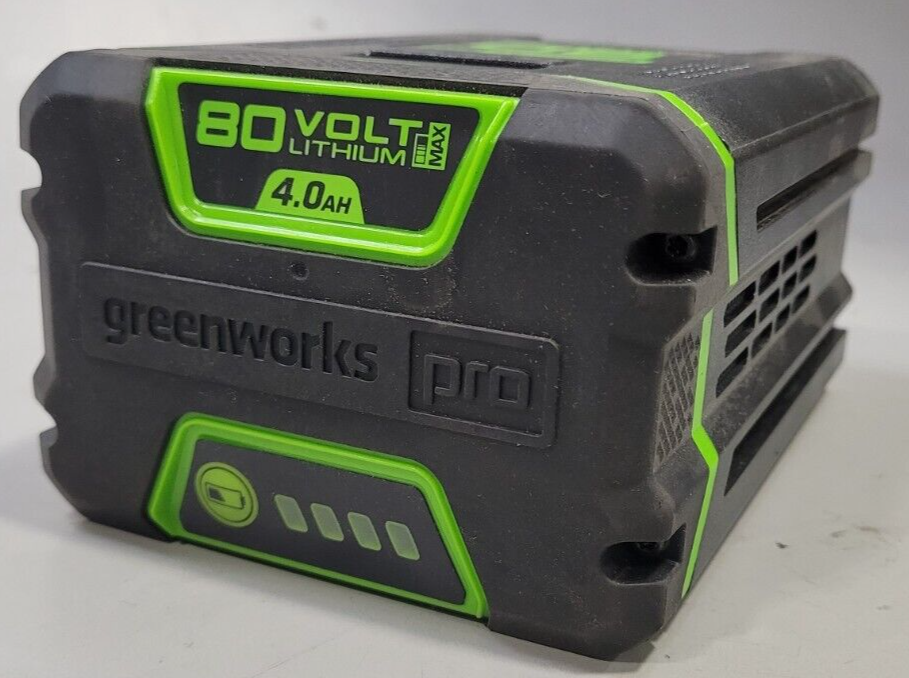
Carefully lift the old battery out of its slot. Some batteries may be secured with clips or adhesive, so handle with care. Avoid using sharp tools that could puncture the battery. Place the old battery aside for proper recycling or disposal according to local rules.
Credit: www.gemefindustries.com
Installing The New Battery
Installing the new battery in your cordless trimmer is a crucial step. It ensures your tool runs smoothly and lasts longer. Follow each part carefully to avoid damage and ensure proper fit.
Positioning The Battery Correctly
Start by aligning the battery with the tray inside the trimmer. Check the shape and size to match the space. The battery should fit snugly without forcing it. Make sure the terminals face the right direction for easy connection.
Connecting The Battery Wires
Locate the battery wires inside the trimmer housing. Attach the positive wire to the positive terminal first. Then connect the negative wire to the negative terminal. Use a small screwdriver to tighten any screws if needed. Do not overtighten to avoid damage.
Securing The Battery In Place
Once connected, secure the battery using the clamps or screws provided. The battery must not move inside the trimmer. Double-check the fit by gently shaking the trimmer. Close the battery cover and fasten it tightly to protect the battery.
Reassembling The Trimmer
After successfully installing the new battery, the next step is reassembling your cordless trimmer. This process ensures the device is secure and ready for use. Proper reassembly prevents damage and maintains performance.
Careful handling during this stage helps avoid loose parts and electrical issues. Follow the steps in order to restore your trimmer to working condition quickly and safely.
Replacing The Cover
Align the cover with the body of the trimmer carefully. Make sure the battery and internal parts fit snugly inside. Press the cover firmly but gently to snap it back into place.
Check all edges to confirm the cover is secure. Avoid forcing it, which might break the clips or plastic. If screws were removed, tighten them evenly without over-tightening.
Testing The Trimmer
Hold the trimmer firmly and switch it on to test. Listen for a smooth motor sound and check blade movement. If the trimmer runs without noise or hesitation, the battery replacement was successful.
Stop the trimmer and inspect for any unusual heat or vibration. These signs might indicate incorrect assembly or battery problems. Repeat the steps if necessary to ensure proper function.
Battery Maintenance Tips
Proper battery care keeps your cordless trimmer running longer. It saves money and avoids unexpected stops. Simple habits protect the battery’s power and health. Follow these tips to get the best from your battery.
Maximizing Battery Life
Store your battery in a cool, dry place. Heat can damage battery cells quickly. Avoid leaving the battery inside the trimmer if not used for a long time. Remove it and keep it in a safe spot.
Use the trimmer regularly to keep the battery active. If left unused for months, the battery may lose its ability to hold charge. Charge it once every few weeks to maintain its strength.
Proper Charging Practices
Charge the battery fully before the first use. Partial charges can reduce battery life. Use the charger made for your trimmer only. Different chargers may supply wrong voltage and harm the battery.
Do not overcharge the battery. Remove it from the charger when it reaches 100%. Overcharging causes the battery to heat and wear out faster. Charge in a well-ventilated area to help cool the battery during charging.
Troubleshooting Common Issues
Troubleshooting common issues helps keep your cordless trimmer working well. Problems with power or battery life can stop your trimmer from working. Finding the cause saves time and effort. Here are two frequent problems and ways to fix them.
Trimmer Not Powering On
Check the battery first. It might be loose or not connected properly. Remove the battery and reinstall it firmly. Look for dirt or debris on the battery contacts. Clean them gently with a dry cloth. Make sure the power switch is in the “on” position. If the trimmer still does not power on, the battery might be dead. Try charging it fully or replace the battery with a new one.
Battery Not Holding Charge
A battery that drains quickly needs attention. Over time, batteries lose their ability to hold charge. Charge the battery fully and then test how long it lasts. If it dies fast, the battery may be worn out. Avoid overcharging as it damages the battery. Store the battery in a cool, dry place. Replace the battery if it continues to lose charge quickly. Using the correct replacement battery ensures good performance.
Frequently Asked Questions
How To Replace Battery In Electric Trimmer?
Open the trimmer casing using a screwdriver. Remove the old battery carefully. Insert the new battery matching polarity. Close the casing securely. Test the trimmer to ensure proper function.
Why Is My Rechargeable Clipper Not Charging?
Your rechargeable clipper may not charge due to a dirty charging port, faulty battery, or damaged charger. Clean the port gently with a dry cotton swab. Check the battery and charger for defects. Replace the battery if it no longer holds a charge.
How Do I Change The Battery Myself?
Open the device carefully using the appropriate tool. Remove the old battery. Insert the new battery in the correct orientation. Secure it and close the device. Test to ensure proper function.
Are Rechargeable Batteries Replaceable?
Rechargeable batteries are often replaceable, but compatibility depends on battery type, size, and device specifications. Always check your device manual.
Conclusion
Replacing the battery in your cordless trimmer is simple and saves money. Follow the steps carefully to avoid damage. Use the right battery type for best performance. Regular battery replacement keeps your trimmer working like new. Now, you can enjoy longer trimming time without interruptions.
Keep your tools ready and efficient with easy battery care. Stay confident handling small repairs yourself. Battery replacement extends your trimmer’s life and reliability. Try it today and maintain your cordless trimmer easily.