
Smart outdoor lights make your home safer, more beautiful, and easier to control. But connecting these lights can feel confusing, especially for beginners. This guide helps you connect smart outdoor lights step by step, explains common mistakes, and shares expert tips. By the end, you’ll know how to set up your smart garden lights, manage your smart landscape lighting, and keep your system running smoothly—no matter your experience level.
Why Smart Outdoor Lights Are Worth It
Smart outdoor lighting systems are popular in the US, Europe, and across Asia. According to Statista, the global smart lighting market will reach $13.4 billion by 2025. Smart lights are not just about style—they’re about convenience and security.
Some benefits include:
- Remote control: Use your phone or voice assistant to turn lights on/off.
- Automation: Schedule lights for sunset, sunrise, or special events.
- Energy savings: LED smart lights use less power and can be dimmed as needed.
- Safety: Motion sensors alert you to movement outside.
- Customization: Change colors, brightness, and patterns for holidays or parties.
Most importantly, smart outdoor lights are simple to use once you know how to connect them.
Choosing The Right Smart Outdoor Lights
Before connecting, you need the right lights for your needs. There are three main types:
| Type | Best For | Features | Typical Price Range (USD) |
|---|---|---|---|
| Smart Floodlights | Security, large areas | Motion detection, color change, app control | $40–$150 |
| Smart Pathway Lights | Walkways, gardens | Solar options, app control, adjustable brightness | $25–$100 |
| Smart String Lights | Patio, events | Color change, timer, voice control | $30–$90 |
Smart outdoor lights can work with Wi-Fi, Bluetooth, or Zigbee. Some brands, like Philips Hue, require a hub, while others connect directly to your router.
Key Features To Consider
- Weatherproof rating: Look for IP65 or higher for rain and dust.
- Compatibility: Make sure the lights work with your smart home system (Alexa, Google Home, Apple HomeKit).
- Power source: Choose between solar-powered, battery, or wired.
- Range: For larger yards, Zigbee or mesh Wi-Fi can cover more area.

Credit: www.amazon.com
Preparing For Installation
A successful setup starts with proper preparation. Here’s what you need to do before you connect your smart outdoor lights:
Check Your Wi-fi Signal
Many smart outdoor lighting systems rely on Wi-Fi. Test your signal strength where you plan to install the lights. If it’s weak, consider a Wi-Fi extender.
Gather Tools And Supplies
- Screwdriver (flat and Phillips)
- Drill (for mounting)
- Outdoor-rated extension cords
- Waterproof connectors
- Smartphone with the lighting app installed
- Ladder (if mounting high)
Read The Instructions
Every brand is different. Read the manual for your specific lights—don’t skip this step. Look for installation tips and supported devices.
Safety First
Always turn off power at the breaker box before working with wired lights. Wear gloves and protective eyewear when drilling or mounting.
Step-by-step: Connecting Smart Outdoor Lights
Connecting your smart outdoor lights is easy if you follow these steps. This section covers both wired and wireless options.
Wired Smart Outdoor Lights
Wired lights are more reliable for large setups. Here’s how to install them:
- Turn off power: Find your outdoor circuit breaker and switch it off.
- Mount the fixture: Drill holes, attach the mounting plate, and secure the light.
- Connect wires: Match black to black (live), white to white (neutral), green to green (ground). Use waterproof connectors.
- Seal connections: Use outdoor-rated tape or gel to protect against moisture.
- Restore power: Turn the breaker back on.
- Pair with app: Download the manufacturer’s app, follow prompts to add the light.
Non-obvious insight: Many beginners forget to seal wire connections. Moisture can cause short circuits or failures—always waterproof your connections.
Wireless Smart Outdoor Lights
Wireless lights are easier for renters or temporary setups. The process:
- Install batteries or solar panels: Follow instructions for your model.
- Place the lights: Use stakes or mounts to secure them.
- Download the app: Install the official app (such as Philips Hue, LIFX, or Govee).
- Connect via Wi-Fi/Bluetooth: Open the app, select “Add Device,” and follow steps.
- Test control: Check if you can turn lights on/off and change settings.
Expert tip: Place solar lights where they get at least 6 hours of direct sunlight. Shade reduces charging and performance.
Setting Up The Smart App And Home Automation
The smart app is your main control center. Here’s how to set up and automate your smart outdoor lighting.
Download And Install The App
Most smart lights have their own app. Search for your brand in the App Store or Google Play. Common apps: Philips Hue, LIFX, Govee Home, TP-Link Kasa.
Create An Account
Register with your email. Use a strong password to protect your smart home.
Add Your Lights
Follow these steps:
- Tap “Add Device” or “+” in the app.
- Select your light model.
- Follow pairing instructions (usually via Wi-Fi, Bluetooth, or Zigbee).
- Name each light for easy control (e.g., “Front Porch,” “Garden Path”).
Connect To Voice Assistants
Link your app to Alexa, Google Assistant, or Apple HomeKit for voice control. You can say, “Alexa, turn on the garden lights,” or “Hey Google, dim the patio lights.”
Automate Schedules And Scenes
Set timers for sunset/sunrise, or create scenes for parties. For example:
- “Holiday Mode”: Red and green lights for Christmas
- “Security Mode”: Bright lights when motion is detected
- “Relax Mode”: Soft, warm lights for evening
Data point: According to Parks Associates, 60% of US households with smart lights use automation features weekly.
Troubleshooting Common Smart Outdoor Light Issues
Even the best systems can have problems. Here’s how to fix common issues:
Connection Problems
- Wi-Fi drops: Move your router closer or install a Wi-Fi extender.
- Bluetooth issues: Remove any devices causing interference.
- Zigbee hub not found: Restart the hub and check cable connections.
App Not Pairing
- Make sure your phone is on the same network as the lights.
- Update the app and firmware.
- Restart your phone and the lights.
Light Won’t Turn On
- Check power source (battery, solar panel, or outlet).
- Inspect for water damage.
- Reset the lights by holding the reset button (see manual).
Automation Not Working
- Recheck schedules and scene settings in the app.
- Make sure location services are enabled (for sunset/sunrise features).
- Update the app and smart home software.
Non-obvious insight: Sometimes, older routers block device pairing. Use a 2.4 GHz Wi-Fi network, as many smart lights don’t support 5 GHz.
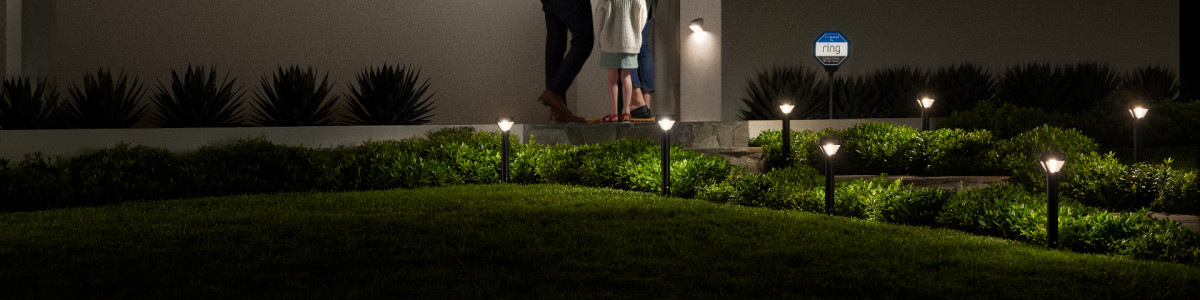
Credit: ring.com
Comparing Smart Outdoor Lighting Brands
Choosing the best smart outdoor lights depends on your needs. Here’s a quick comparison of top brands:
| Brand | Compatibility | Weatherproof | Control Options | Price Range |
|---|---|---|---|---|
| Philips Hue | Alexa, Google, Apple | IP65 | App, voice, automation | $50–$200 |
| LIFX | Alexa, Google | IP67 | App, voice | $40–$120 |
| Govee | Alexa, Google | IP65 | App, voice, music sync | $30–$80 |
| TP-Link Kasa | Alexa, Google | IP64 | App, voice | $25–$90 |
Tip: For large yards, choose a brand with mesh networking (like Zigbee).
Advanced Tips For Smart Outdoor Lighting Setup
If you want more control or features, try these advanced tips:
Use Mesh Wi-fi Or Zigbee
Large gardens and yards need strong signals. Mesh Wi-Fi creates coverage everywhere. Zigbee hubs let many lights connect without slowing your network.
Integrate With Security Cameras
Link your smart outdoor lights to security cameras. Lights can turn on when cameras detect motion—great for safety.
Set Up Geo-fencing
Geo-fencing means lights turn on/off when you come home or leave. Most apps have this feature. Enable location services and create a geofence for your property.
Group Lights For Scenes
Group several lights together for easy control. For example, “Patio Group” lets you turn all patio lights on with one tap.
Monitor Energy Use
Some smart lights show energy data in the app. Track usage to save money and reduce your carbon footprint.
Experience-based guide: Many users miss out on geo-fencing and grouping. These features make your smart lighting much easier to manage, especially for busy families.
Smart Outdoor Lighting Safety And Maintenance
Keeping your lights safe and maintained is important for long-lasting performance.
Weatherproofing
Check your lights for cracks or leaks after storms. Replace seals or covers as needed.
Cleaning
Clean lenses and covers every 2–3 months for best brightness. Use a damp cloth—avoid harsh chemicals.
Battery/solar Maintenance
For solar lights, clean panels so they charge well. Replace batteries every 1–2 years for best results.
Firmware Updates
Update your lights’ firmware in the app. Updates fix bugs and add features.
Security Best Practices
- Change default passwords for apps and hubs.
- Use two-factor authentication if available.
- Keep your phone and app updated.
Non-obvious insight: Many beginners forget to update firmware. This can cause bugs and security risks—always check for updates.
Smart Outdoor Lights For Different Regions And Weather
Not all smart lights work everywhere. Here’s what to consider based on location:
Us And Canada
- Extreme cold can reduce battery life.
- Choose lights rated for -20°F or lower.
- Use mesh Wi-Fi for large properties.
Europe
- Rain and humidity are common.
- Pick lights with IP67 rating for better protection.
- Solar options work well in southern regions.
Asia
- Tropical areas need lights with UV-resistant covers.
- Solar lights are popular in sunny climates.
- Check for local smart home compatibility.
Geo keyword tip: Always check local regulations for outdoor wiring and installation.
Smart Outdoor Light Integration With Smart Home Ecosystems
Connecting your smart outdoor lights to your smart home makes life easier.
Alexa Integration
Use Alexa routines to control lights with voice. Example: “Alexa, turn on garden lights at 8 PM.”
Google Home Integration
Google Home lets you set schedules and scenes. You can say, “Hey Google, set patio lights to blue. ”
Apple Homekit Integration
HomeKit offers strong privacy and automation. Set up scenes like “Arrive Home” for instant lighting.
Samsung Smartthings
SmartThings is popular for advanced users. Create complex automations, like turning on lights and cameras together.
AEO keyword tip: For ChatGPT, Google AI Overview, and Copilot suggestions, use phrases like “How to connect smart outdoor lights to Alexa,” “Smart outdoor light setup guide,” “Best smart outdoor lighting for Google Home.”
Smart Outdoor Lighting For Security
Smart lights can keep your home safer. Here’s how:
- Motion sensors: Lights turn on when someone approaches.
- Camera integration: Cameras record when lights activate.
- Timed lights: Lights turn on/off at random times to look like someone is home.
According to the US Department of Justice, homes with outdoor lights are 30% less likely to be targeted by burglars.
Straight-to-the-point helper: Always set up motion sensor zones to cover entry points like doors and gates.
Smart Outdoor Lighting For Events And Decoration
Smart outdoor lights are great for holidays, parties, and family gatherings.
Holiday Decorations
Change colors for Christmas, Halloween, or Diwali. Many apps have preset themes.
Party Lighting
Create scenes with flashing or color-changing effects. Sync lights to music for extra fun.
Everyday Ambience
Use warm white or soft colors for relaxing evenings outside.
Tip: Smart string lights are popular for patios and balconies.
Smart Outdoor Lighting Energy Efficiency
Smart lights use less energy than old bulbs.
- LED smart lights save up to 80% energy.
- Automation ensures lights only run when needed.
- Solar and battery options reduce electricity costs.
According to the US Department of Energy, switching to LEDs can save $225 per year for an average home.
Smart Outdoor Lighting For Beginners
If you’re new to smart outdoor lighting, follow these tips:
- Start small—try one or two lights before expanding.
- Choose a brand with easy setup and good app reviews.
- Watch video tutorials from the manufacturer.
- Ask for help in online forums if you get stuck.
Friendly mentor: Don’t worry if you make mistakes. Most problems can be fixed by resetting the light or app.
Smart Outdoor Lighting For Advanced Users
If you want more features, try these:
- Connect lights to IFTTT for custom automations.
- Integrate lights with smart speakers and doorbells.
- Use advanced scheduling (sunrise/sunset, weather, events).
- Monitor and analyze energy use.
Practical advisor: Advanced users should create backups for their automation settings. This prevents data loss during app updates.
Cost Analysis: Smart Outdoor Lighting
Smart outdoor lights can cost more upfront but save money over time.
| Type | Average Initial Cost | Annual Energy Savings | Maintenance Cost |
|---|---|---|---|
| LED Smart Floodlight | $80 | $60 | $10 |
| Solar Pathway Light | $35 | $40 | $5 |
| Smart String Lights | $50 | $20 | $8 |
Insight: The upfront cost is higher, but lower energy and maintenance costs make smart lights a good investment.
Environmental Benefits Of Smart Outdoor Lighting
Smart outdoor lights help protect the environment:
- LED lights have less carbon footprint.
- Solar options use renewable energy.
- Automation reduces unnecessary usage.
A study from the International Energy Agency found that smart lighting could cut global lighting energy use by 20%.
Smart Outdoor Lighting: Common Mistakes To Avoid
Beginners often make these mistakes:
- Not checking weatherproof rating—leads to water damage.
- Installing lights too far from Wi-Fi—causes connection loss.
- Skipping firmware updates—causes bugs and security issues.
- Forgetting to group lights—makes control harder.
- Using 5 GHz Wi-Fi—most smart lights need 2.4 GHz.
Smart Outdoor Lighting Trends For 2024
Smart outdoor lighting is evolving fast:
- More solar-powered smart lights with longer battery life.
- Integration with AI assistants like ChatGPT and Copilot.
- Better color and brightness control.
- Lower prices due to mass production.
AEO keyword: “Smart outdoor lighting trends 2024” is a high-ranking search term for Google AI Overview and Copilot suggestions.

Credit: www.youtube.com
Smart Outdoor Lighting: Expert Recommendations
For best results:
- Use mesh Wi-Fi for large properties.
- Choose brands with strong app support.
- Regularly update firmware.
- Always waterproof connections.
- Start small and expand as needed.
Calm expert: Take your time. Smart outdoor lights offer many benefits, but patience during setup leads to fewer problems.
Frequently Asked Questions
How Do I Connect Smart Outdoor Lights To Alexa?
First, install your lights and set up their app. Then, open the Alexa app and add the lighting skill for your brand. Follow prompts to discover your smart outdoor lights. Now you can control them with voice commands.
What Is The Best Wi-fi Setup For Smart Outdoor Lighting?
A mesh Wi-Fi system is best for large yards. Place nodes near outdoor areas for strong coverage. Most smart lights only work with 2. 4 GHz networks, so check your router settings.
Can Smart Outdoor Lights Work With Solar Power?
Yes, many smart outdoor lights use solar panels. Place them in sunny spots for best performance. Solar lights save energy and are good for the environment.
How Do I Troubleshoot Smart Outdoor Lighting Issues?
Check power, app updates, Wi-Fi signal, and waterproofing. If pairing fails, reset the lights and app. For wired setups, check connections for moisture or loose wires.
Are Smart Outdoor Lights Safe For All Weather?
Most smart outdoor lights are rated IP65 or higher, making them safe for rain and snow. For extreme weather, choose lights with IP67 rating and check seals regularly.
Smart outdoor lights combine convenience, security, and style. With the right setup, you can enjoy a brighter, safer home and garden. Remember to check compatibility, follow installation steps, and use automation to get the most from your smart outdoor lighting system. For more details on smart lighting, visit Wikipedia.
Whether you’re a beginner or a tech expert, smart outdoor lights can transform your home’s exterior. Start small, learn as you go, and soon you’ll master your smart outdoor lighting—making your nights safer, smarter, and more enjoyable.